Column Editor
Overview
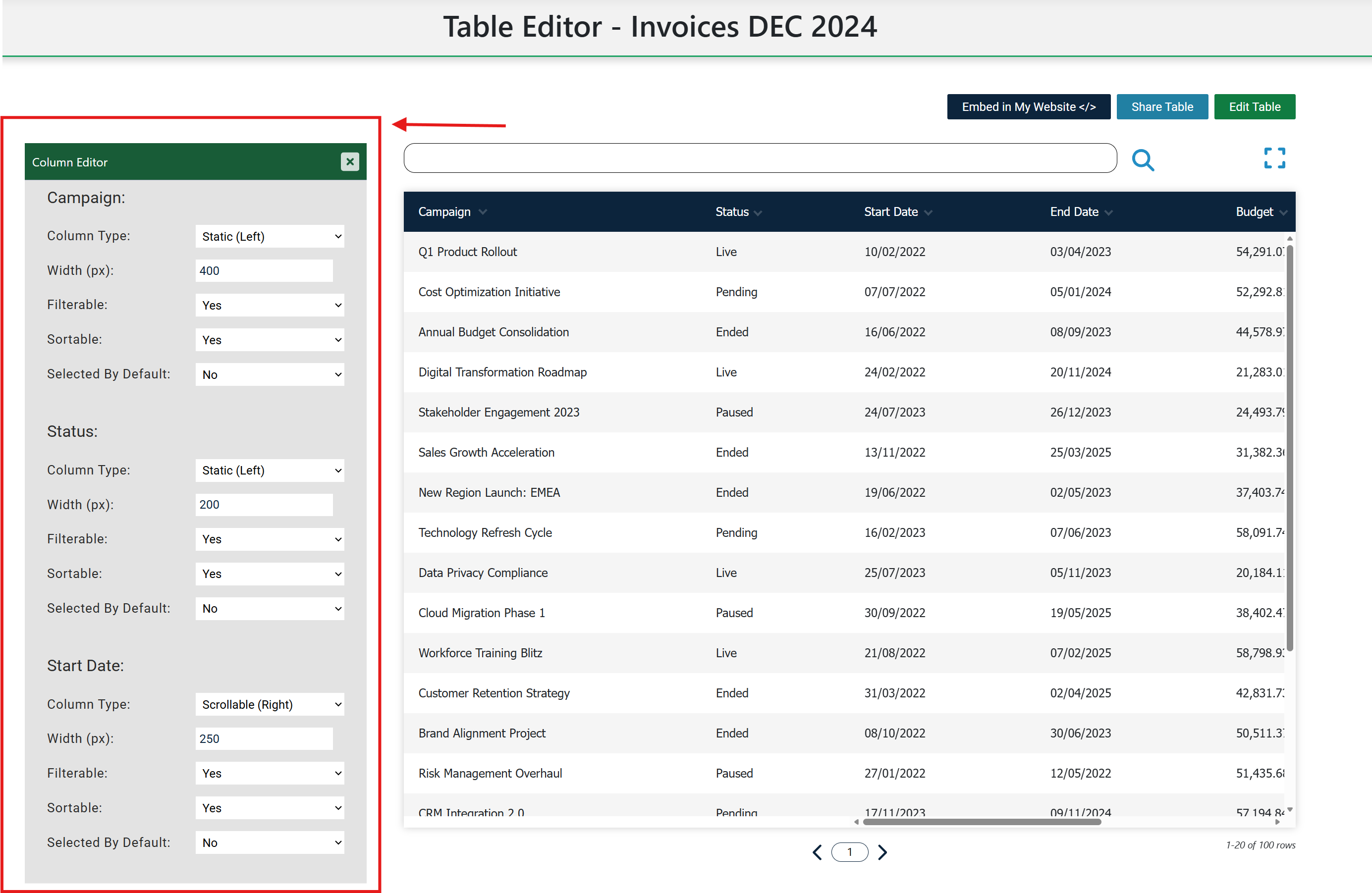
The Column Editor allows you to configure settings for each individual column. You can open it from the button above the table in the Table Editor view.
Shared Column Settings
Common settings include Width, Sortable, Filterable and Selected By Default. Width lets you define a fixed pixel size. Sortable and Filterable control whether readers can sort and filter that column.
Selected By Default controls initial column visibility when a table first loads. This is especially important when you use the column picker.
Type-Specific Settings
Dynamic tables include a column setting for static-left or scrollable-right behaviour. Statistics tables include grouping selection and aggregation configuration for value columns.
Practical Workflow
A good workflow is to set shared options first, save, then adjust type-specific settings. This makes it easier to test one change at a time in the preview table.